

Productivity like never before.
Maaia Workspace: 12 apps plus Maaia, your AI assistant. The apps your team uses every day, on your own domains; ask Maaia in plain words, the way you would ask someone on your team, and it does the work.
- 7-day trial
- Multilingual
- Data isolated in the database
- Works offline
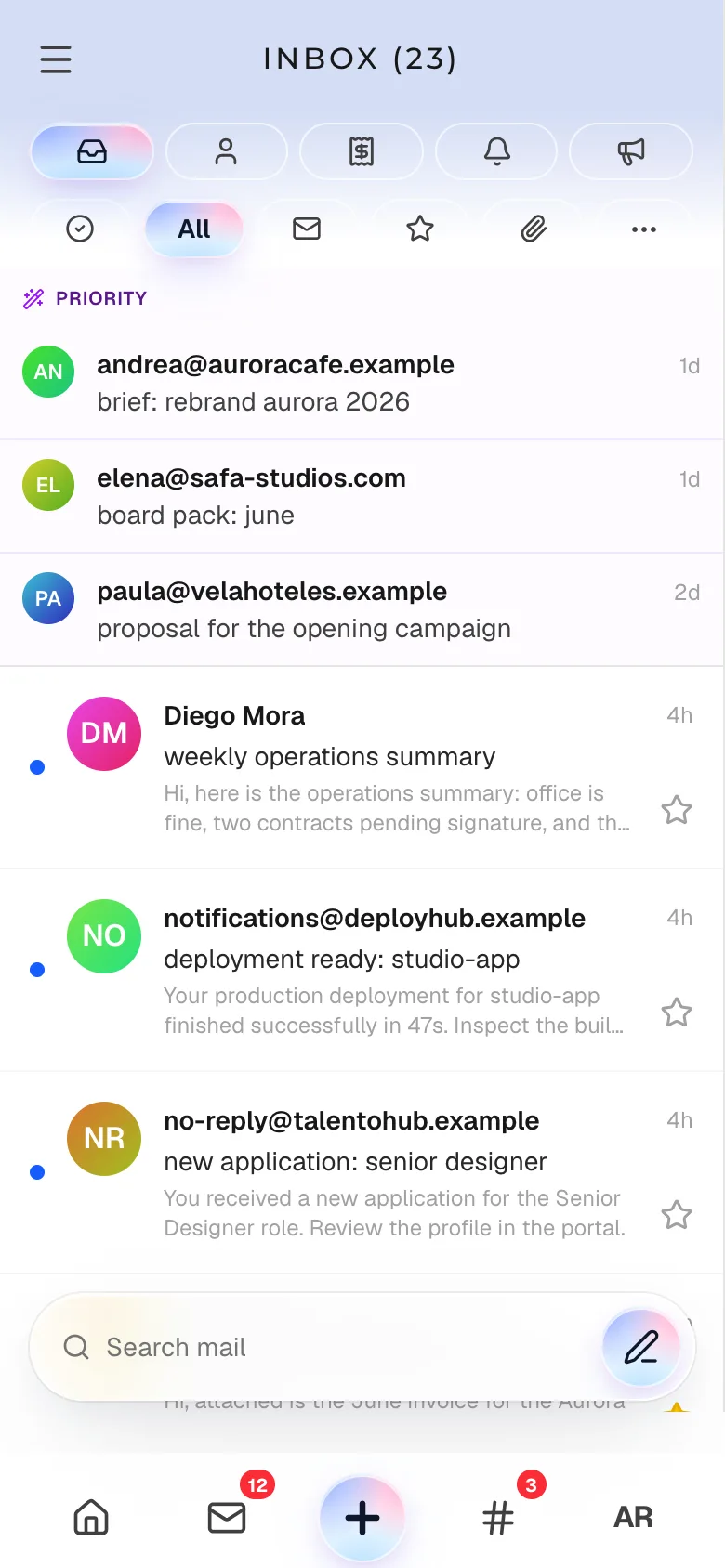
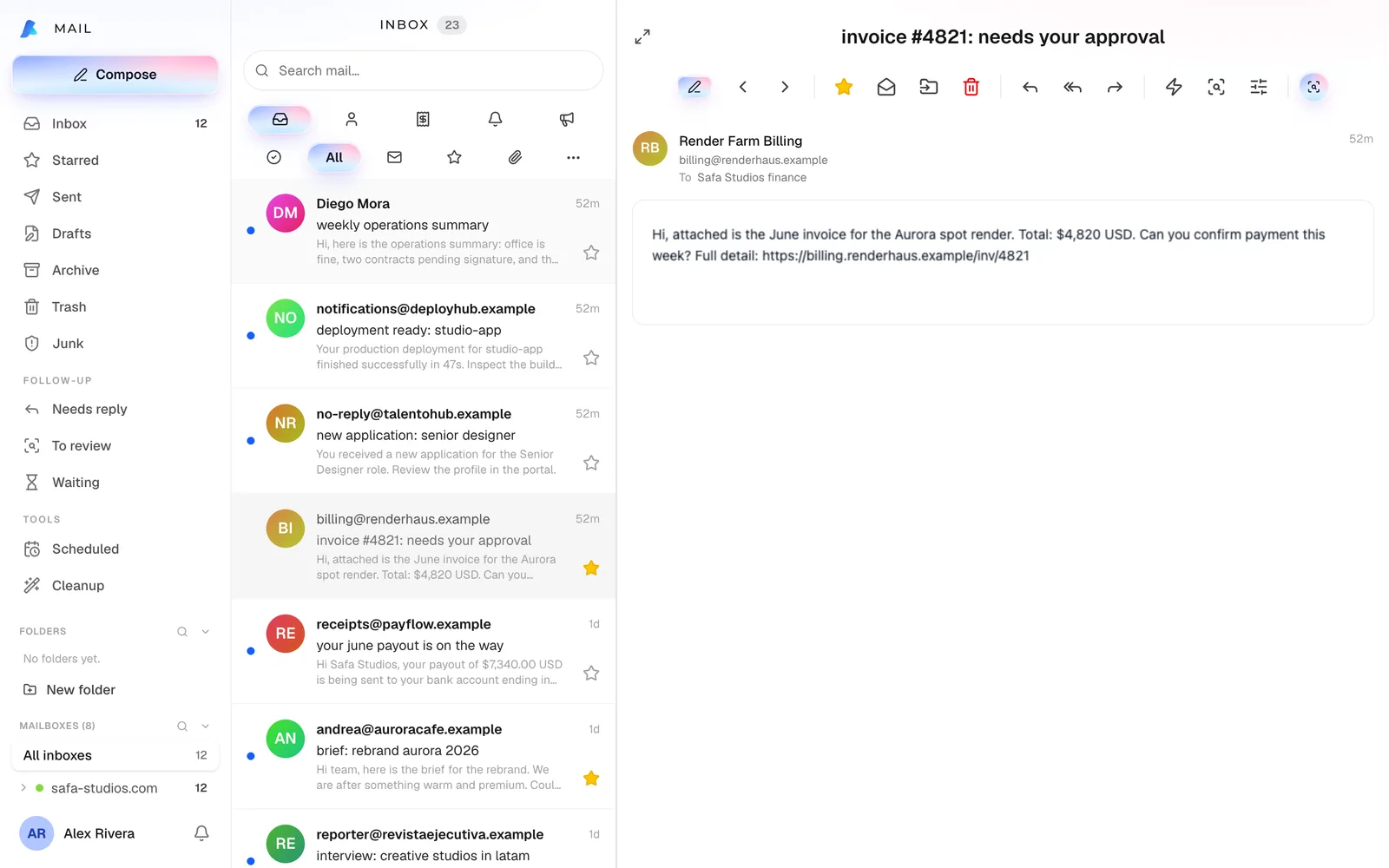
Everything your team uses, in one place.
Each app stands on its own. Together they share one context: an email becomes a task, a task becomes a meeting, and Maaia sees all of it.
Communicate
Mail
On your own domains, with scheduled send and undo send.
Chat
Direct messages, channels and transcribed voice notes.
Broadcasts
Campaigns to your audiences, with consent on record.
Organize
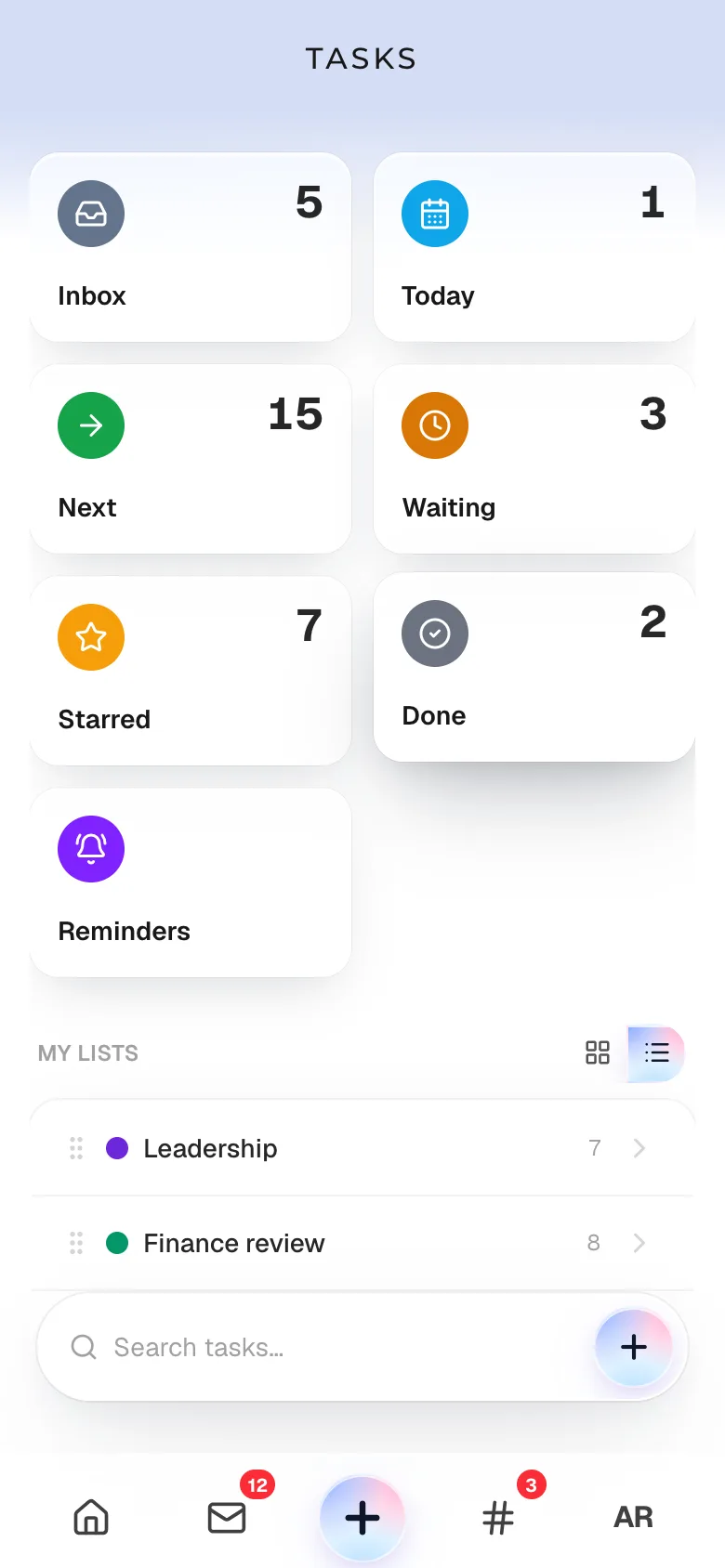
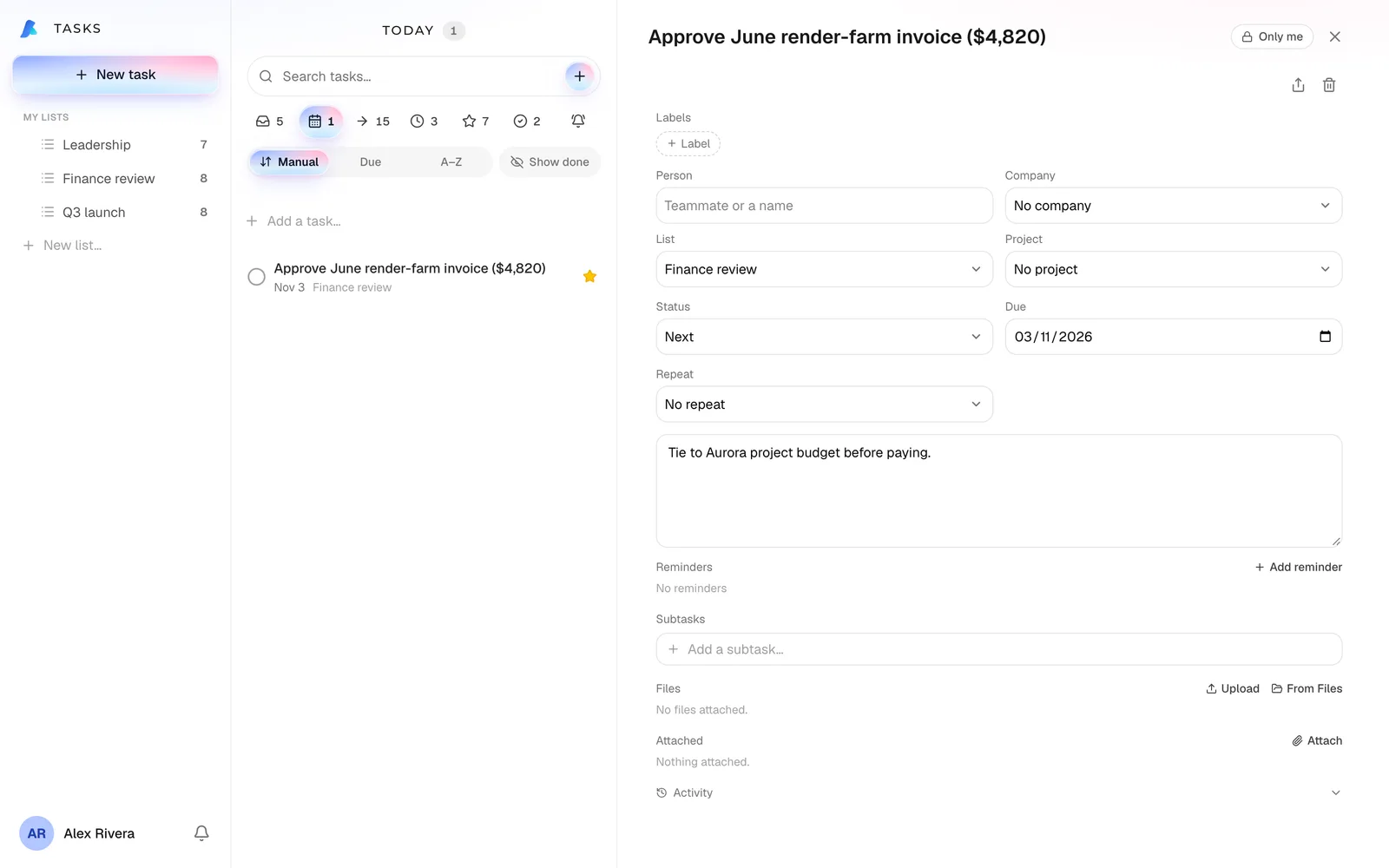
Tasks
Real GTD: inbox, next action and follow-up.
Projects
Deliverables with an owner and a date.
Calendar
Invitations ready to accept, and Google Calendar sync.
Know
Notes
Shared documents, with attachments.
Files and vault
Organized files and a vault encrypted on your own device.
Directory
Your team and your contacts, in one place.
Sell and control
CRM
Leads, contacts, deals and follow-up.
Expenses
Capture, approval and control of team spending.
Booking pages
One link for your clients to book time with you.
Across every app
Search. One search across mail, chat, calendar, tasks, notes, projects, expenses, CRM, files and people.
Reminders. They ring on your phone, and ring again when it is urgent.
One email, three things handled.
Open Review on any email and turn it into whatever it needs. Everything stays linked to the thread, so you can see what is still open.
- 1
Opens Review
It spots the date and the amount in the email. Nothing is created until you confirm.
- 2
Records the payment
An expense for MXN 4,500 and a reminder for the day it is due.
- 3
Books the review
Tuesday 10:00, on your calendar.
- 4
Marks the thread as waiting
When they reply, it moves back to your needs-reply list by itself.
Example
Supplier
Invoice 2291 · due Friday
Attached is the October invoice for MXN 4,500, due Friday the 16th. Can we review the delivery Tuesday at 10?
Example
Supplier
Invoice 2291 · due Friday
Attached is the October invoice for MXN 4,500, due Friday the 16th. Can we review the delivery Tuesday at 10?
You confirm every step. Nothing is created without you, and doing it twice tells you it is already tracked.
Maaia, your chief of staff.
Not a chat bolted on from outside. It lives inside the Workspace, under the same permissions you have, and does what you ask.
Executes
Creates and updates tasks, events, notes, reminders and expenses, and adds leads.
Drafts
Prepares emails in your company’s style for you to review and send, with your signature.
Remembers
Your goals, your open loops, past conversations, your team and your active clients. You do not re-explain the context every time.
Leaves a trail
What it does goes into the audit log: what it did and when.
Example
You to Maaia
Add the Aurora render invoice to expenses, remind me Friday, and reply to Marco.
Expense added: MXN 4,500, Aurora
UndoReminder set: Friday 9:00
UndoReply ready · with your signature, in your style
ReviewTake a look inside.
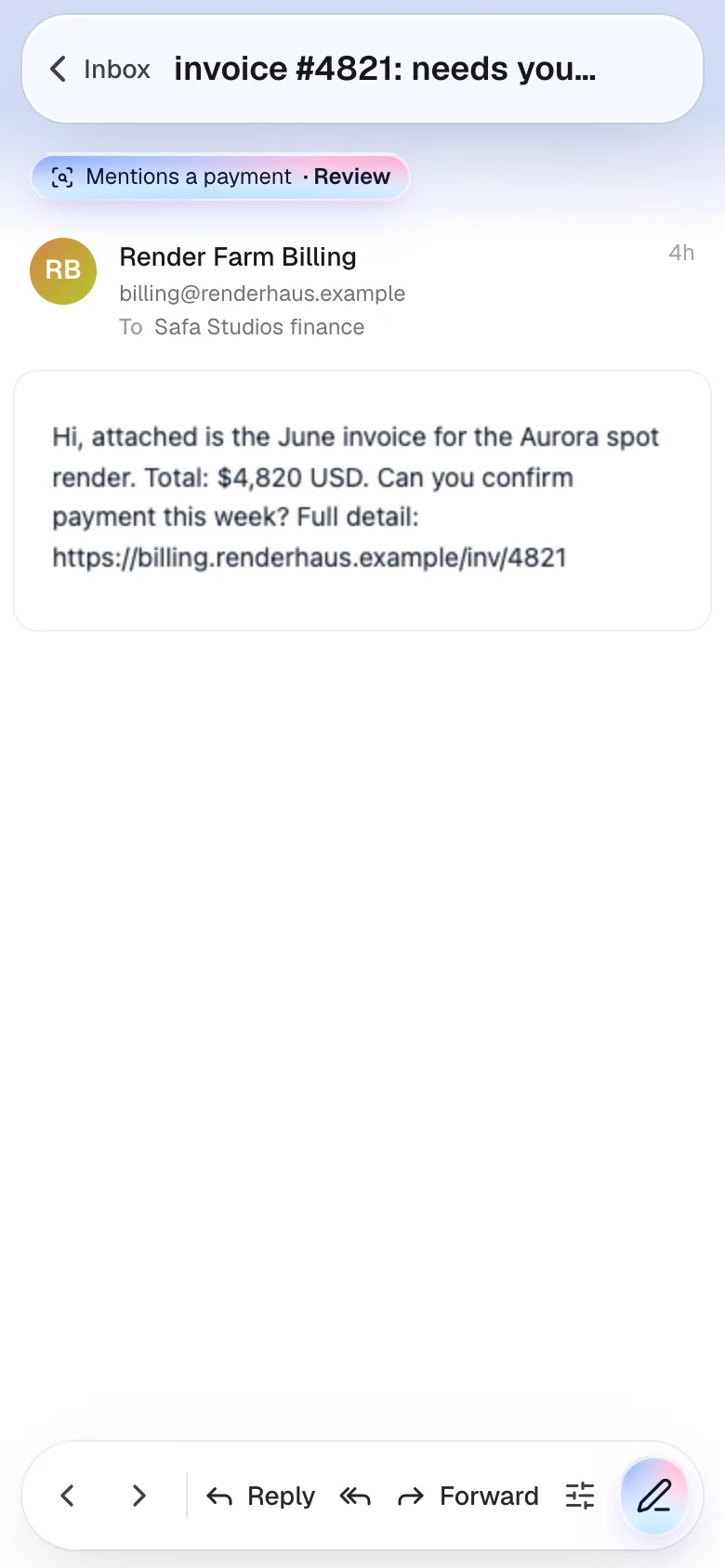
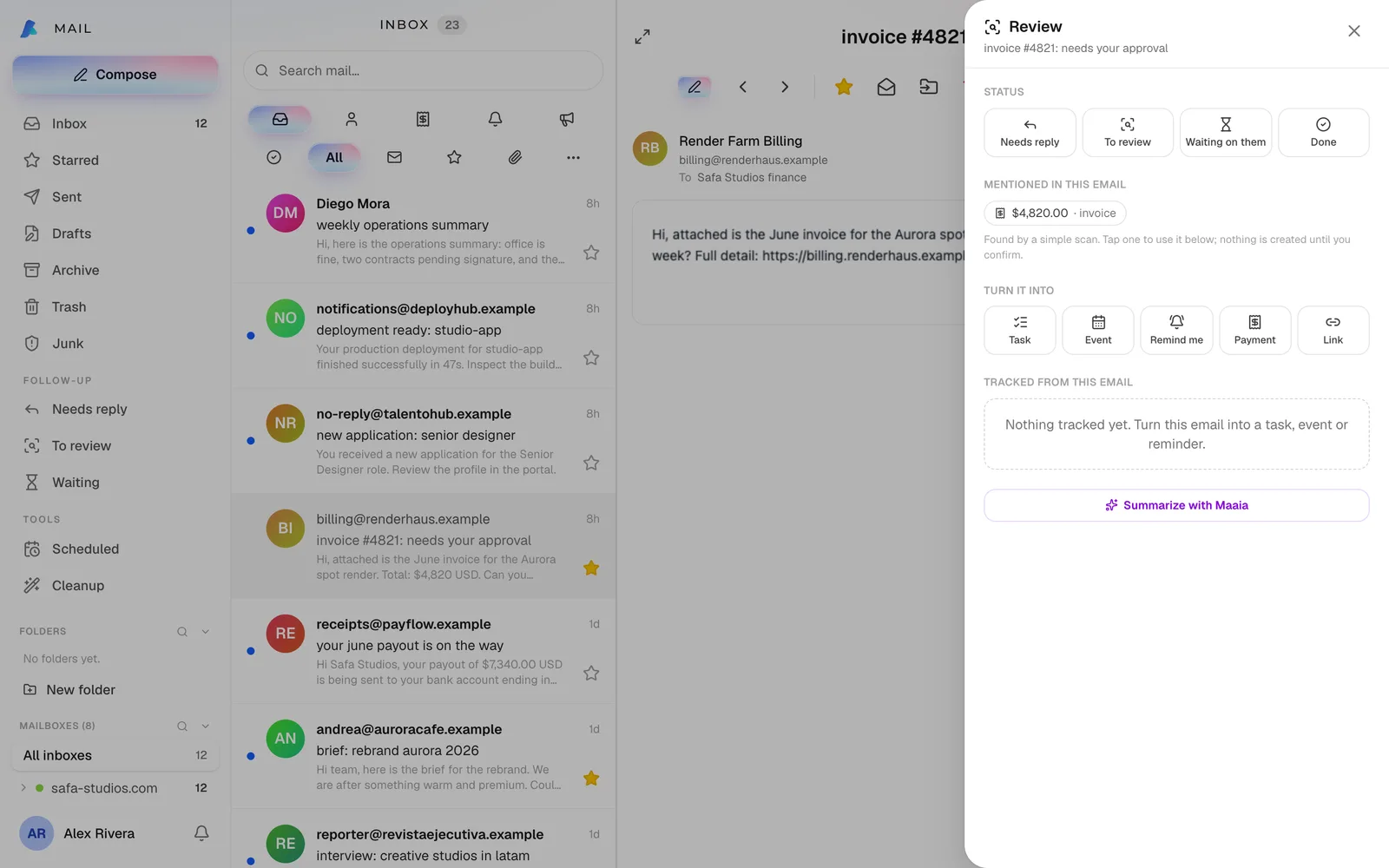
Real screens of Maaia Workspace, with a sample company.
Review turns an email into a task, an event, a reminder or a payment, linked to the thread.
Small things that save hours.
Quick replies
Your own reply templates, always editable before you send.
Scheduled send
Write now, send tomorrow at 9. And undo a send in the first few seconds.
Reminders that insist
If it is urgent and you miss it, it rings again and then reaches you by email.
Morning summary
Turn it on and get your day at 8:00.

Built so your information stays yours.
Security in the database, not only in the app.
Isolation in the database
Each company’s data is separated by row-level security that Postgres enforces, not only by application code.
Auditable
Access logs and a record of Maaia’s actions you can undo, with role-based permissions.
Installable and offline
Installs as an app. What you write with no signal syncs when you are back, and your mail and chat stay at hand.
Your domains
Send and receive on your own domains, with your name and signature.
Your keys, if you want them
On Dedicated and Enterprise you can bring your own AI keys; on Enterprise, your own infrastructure too.
Everyone in their own language.
The whole interface and the assistant, in Spanish and English today, with more languages on the way. What one person picks changes nothing for the rest of the team.
Start alone, or with the whole company.
Cloud
Availablefrom €19per user / month
Self-serve. Your workspace ready in minutes, with 7 days free (card at signup, charged on day 8), and 7 more on Teams or Plus when you add your second person.
Create your workspace- Solo €19: one person, 300 AI actions
- Teams €24 (€20 on annual billing): your team, 600 AI actions per user
- Plus €29: talk with Maaia, 30 voice minutes and 1,500 actions per user
- Monthly or annual (2 months free), priced in pesos in Mexico
Prices exclude tax (plus IVA in Mexico). Dedicated and Enterprise are quoted per operation.
Ana, the comms manager for your customers
Maaia works for your team; Ana answers whoever reaches out, on your website, your phone and your WhatsApp, and every conversation lands in your CRM and your team chat. We run one Ana across our own 19 companies. Basic €59 and Pro €99 a month.
Frequently asked questions
How does the trial work?
You pick your plan and add your card when you create your workspace. You use all of it for 7 days without paying anything, and the first charge is on day 8; cancel any time. Add your second person and Teams and Plus get 7 more days. In Billing you can switch to annual, with 2 months free.
Which currency do I pay in?
Euros, or Mexican pesos when you sign up from Mexico. Prices are shown excluding tax.
Can I use my own email domains?
Yes. Connect your domain in Settings, add the DNS records we show you, and send and receive from your own addresses.
Does it work offline?
Yes. It installs as an app on your phone or computer. What you write with no signal (tasks, notes, emails, events, expenses and more) syncs when you are back, and your mail and chat can be read offline.
Which languages does it speak?
Spanish and English today, the whole interface and the assistant, with more languages coming as we grow. Each person on the team picks their own without affecting anyone else.
How is my data protected?
Each company’s data is isolated inside the database itself, with row-level security. Access and Maaia’s actions are logged. On Dedicated and Enterprise you have your own database and infrastructure.
Want to see it running?
Create your workspace in minutes, or book a ten-minute call and we will walk through your case.