

AI that does the work.
Mail, chat, calendar, tasks, CRM and seven more apps in one place, with Maaia inside: it drafts the reply, creates the task and books the meeting. You check and send.
From €19 a user a month. Your whole team, set up in minutes.

Two products, ready today.
Maaia Workspace for your team, Ana for your customers. Each works on its own; together, every conversation turns into work.
Maaia Workspace
The AI-native suite: mail, chat, calendar, tasks, CRM and seven more apps, with Maaia inside taking care of the busywork.
- 12 apps on your own domains
- Maaia drafts, files and books; you send
- What Maaia does undoes for 24 hours
From €19 a user a month, before tax
7 days free. Card at signup, charged on day 8.
Ana · Comms Manager
The AI comms manager for your business: she answers your website, your phone and your WhatsApp, and hands each person to your team with a preview.
- Chat and voice on your website
- A phone line and WhatsApp on Pro
- A callback with a real time when nobody is free
Your day lives in twelve apps.
Maaia Workspace puts them in one, on your own domains. What happens in your mail reaches your tasks and your calendar without copy and paste.
Search. One search across mail, chat, calendar, tasks, notes, projects, expenses, CRM, files and people.
Reminders. They ring on your phone, and ring again when it is urgent.
You ask. Maaia does it.
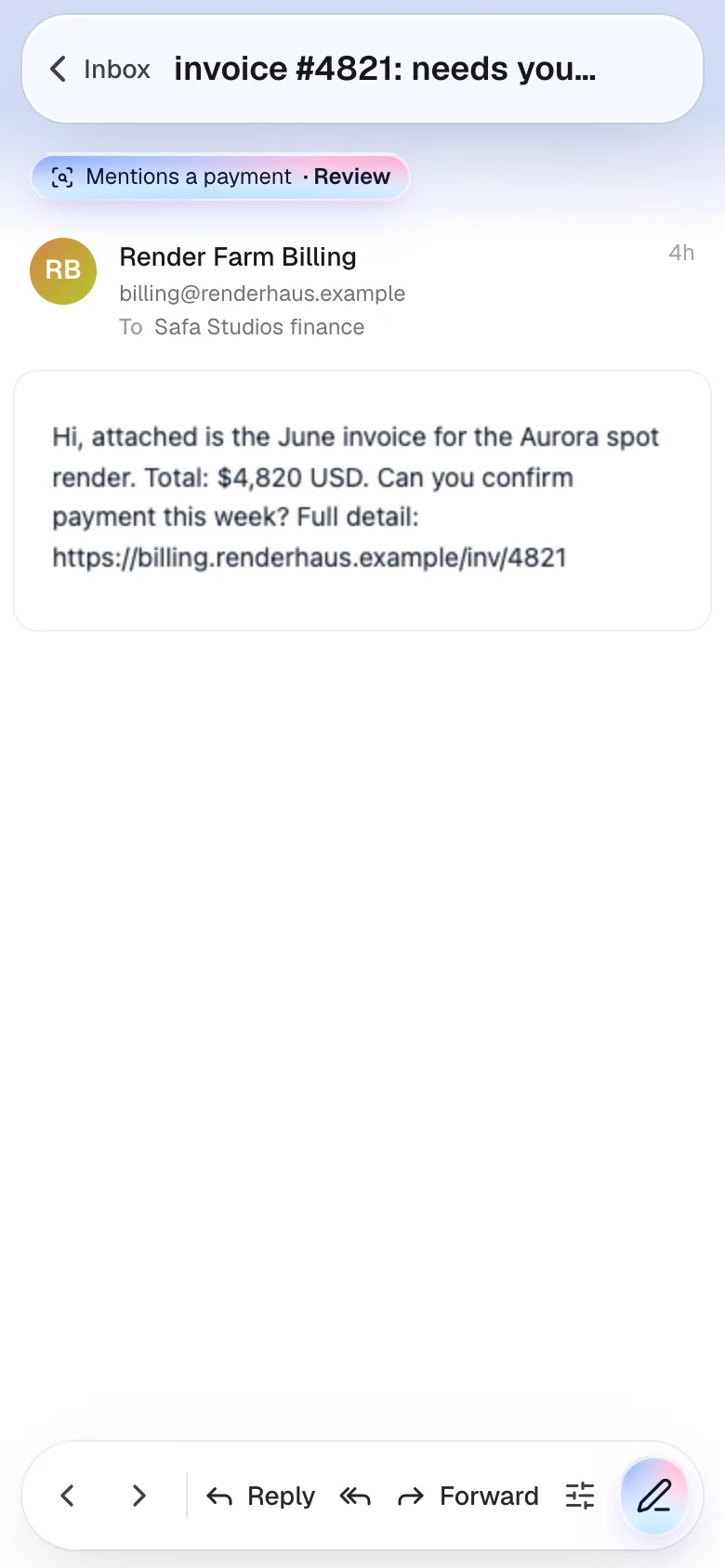
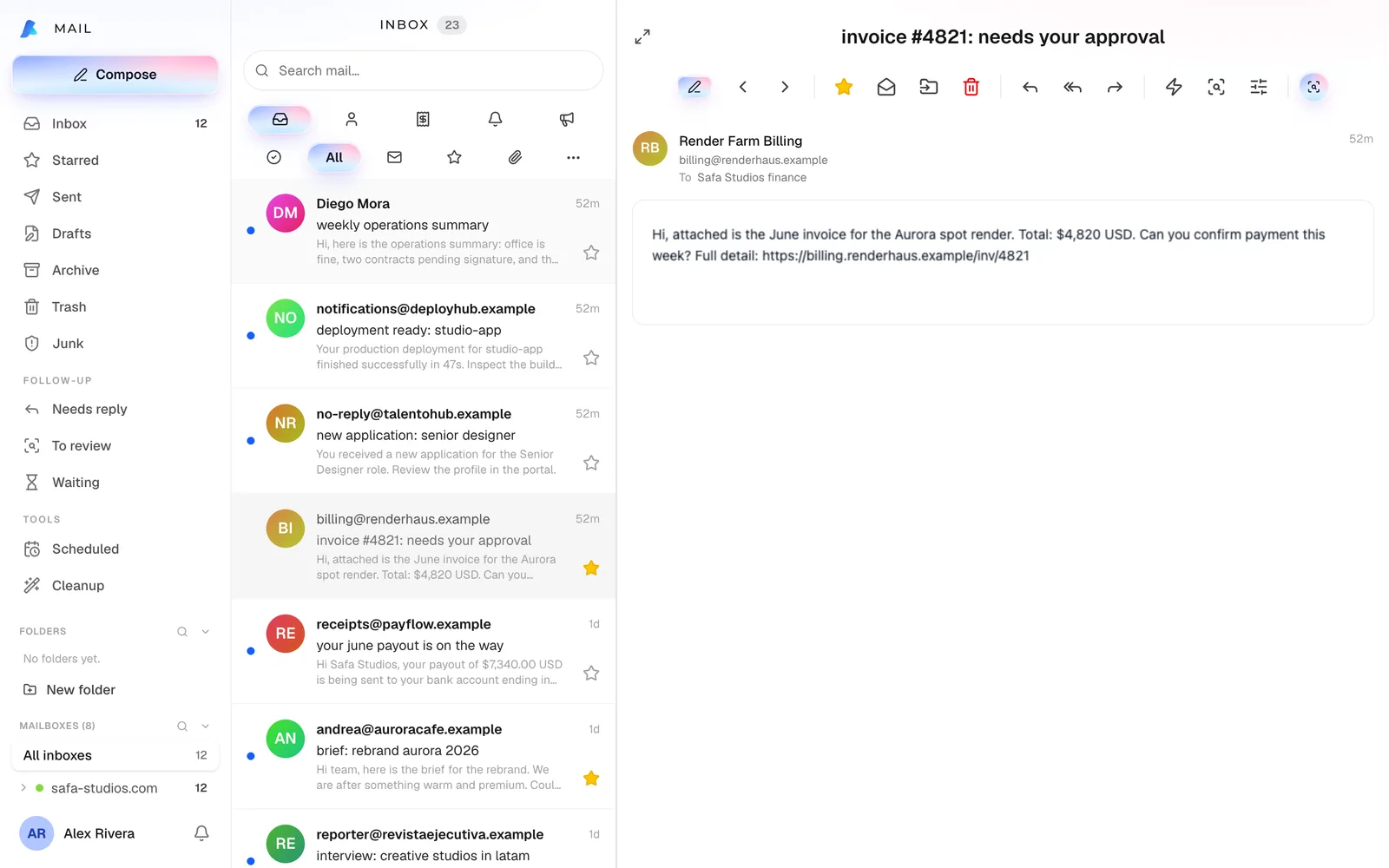
Point Maaia at a client’s email and say what you need. It reads it with your company’s context and acts in the apps you already use.
- 1
Reads the email
With your company’s context: it knows who the client is and what is open with them.
- 2
Drafts the reply
In your company’s style, with your signature, ready for you to review.
- 3
Creates the task
“Send cost breakdown”, with a due date, in your list.
- 4
Books the meeting
Tuesday 3:00 pm, on your calendar. Every step undoes in one tap.
Example
Client· 9:41
Proposal and next meeting
It works for us, we just need the cost breakdown. Can we meet Tuesday at 3?
You to Maaia
Reply that we’ll send the breakdown, make the task, and book Tuesday at 3.
Reply ready · with your signature, in your style
ReviewTask created: Send cost breakdown, Fri
UndoMeeting booked: Tuesday 3:00 pm
UndoExample
Client· 9:41
Proposal and next meeting
It works for us, we just need the cost breakdown. Can we meet Tuesday at 3?
You to Maaia
Reply that we’ll send the breakdown, make the task, and book Tuesday at 3.
Reply ready · with your signature, in your style
ReviewTask created: Send cost breakdown, Fri
UndoMeeting booked: Tuesday 3:00 pm
UndoNothing goes out without you.
Maaia proposes and executes, but the last word is yours. Everything it does is logged and can be undone.
You send
Maaia gets the email ready; you check it and send it.
Undo in one tap
What Maaia does undoes from the chat for 24 hours. When it already reached someone else, like a cancelled meeting, it tells you.
A record of everything
“What Maaia did”: each action, when, and on what.
Only what you can see
Maaia works with your permissions, never more.
Every way in, one place.
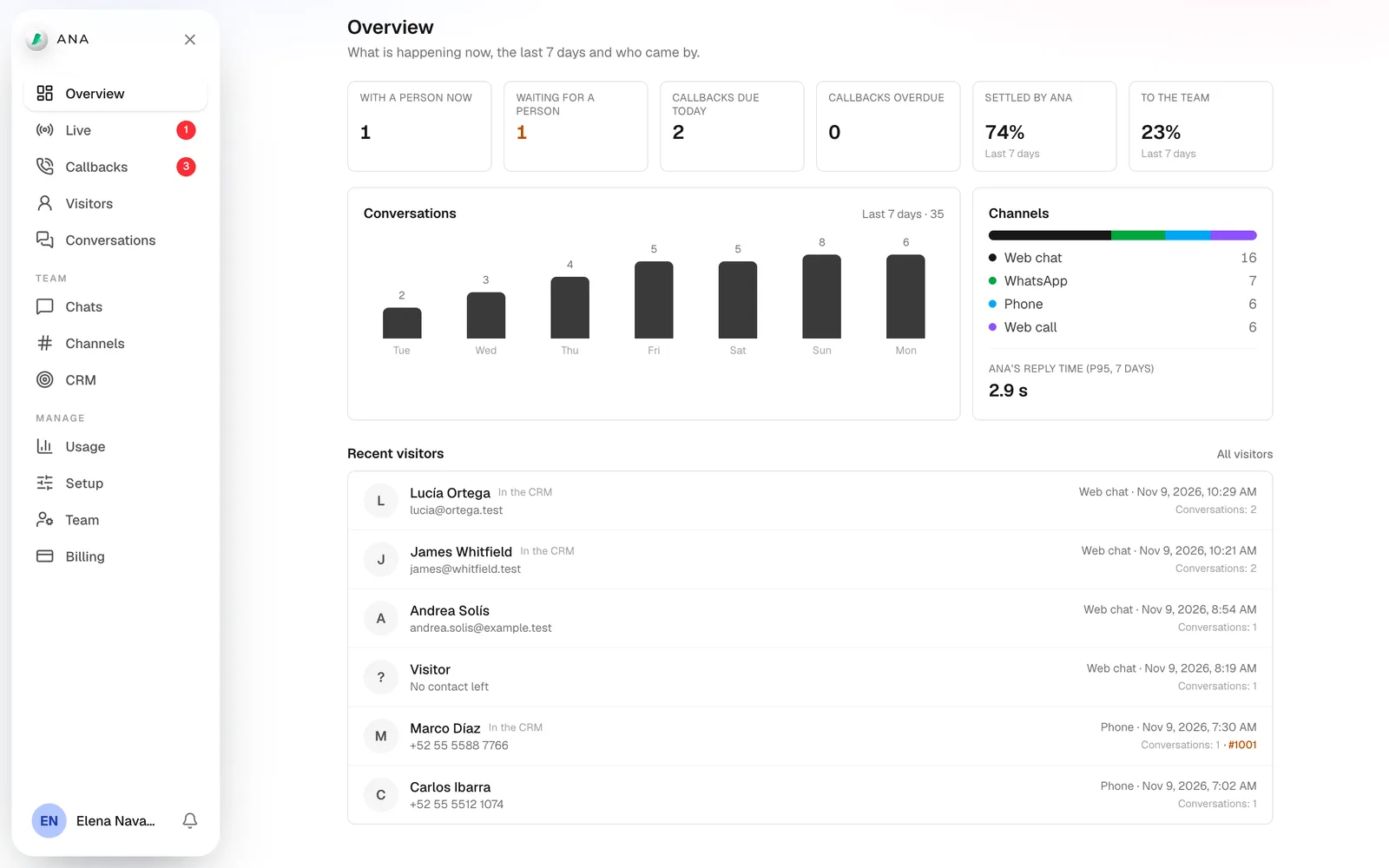
However people reach you, Ana answers the same way, and your team works it from one view, with one history per person.
Chat and voice on your site
A button on your website: people write or talk to Ana, in English or Spanish. On a phone it opens like a call screen.
Basic and Pro
A phone line
Your own number in the US or Mexico. Ana answers and transfers to your team with a whispered preview before connecting.
Pro
WhatsApp
Your business number on WhatsApp, answered by Ana, with the conversation in the same history.
Pro
Ana answers. Your team takes it.
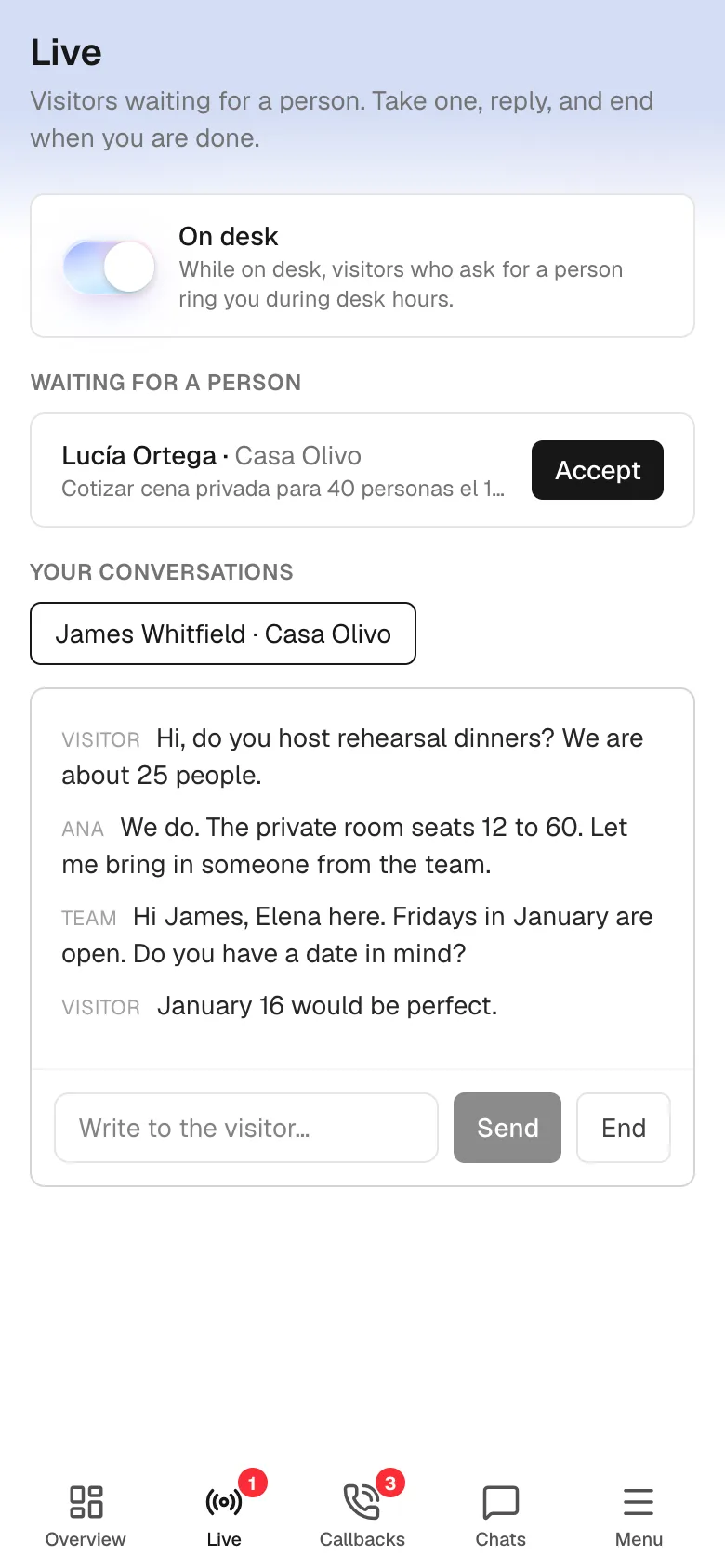
No menus, no hold music. Ana asks, understands, and takes each person to the right one on your team.
- 1
Ana answers
She says she is an AI assistant and asks for the name and what they need.
- 2
Finds the right desk
One site or number for the whole group, or a desk per company, with its own greeting and hours.
- 3
Rings your team
In team hours, the people on that desk get the name, the need and the channel. The first to accept takes over.
- 4
Nobody free? A callback
Ana books a callback with a real time, confirms it, and puts it on someone’s list.
Example
Ana · AI
Customer service · Your company
Hi, I’m Laura. I’d like a quote for next month’s event.
Thanks, Laura. Let me connect you with someone from the team now.
Desk: SalesOpen until 7:00 PM · 3 people
Ringing your teamLaura · Quote for an event · Website
Take itExample
Ana · AI
Customer service · Your company
Hi, I’m Laura. I’d like a quote for next month’s event.
Thanks, Laura. Let me connect you with someone from the team now.
Desk: SalesOpen until 7:00 PM · 3 people
Ringing your teamLaura · Quote for an event · Website
Take itShe never closes the door.
Ana answers at any hour, says only what you approve, and if anything fails, nobody is left without an answer.

Always says she is AI
Ana introduces herself as an AI assistant, and the line under every chat says so.
No request dropped
If you switch the AI off or it reaches its monthly limit, people still leave their details and your team is told.
Only what you approve
About your company, Ana says only what you wrote for her desk. Everything else goes to your team.
Meetings and callbacks
She books a meeting in the slots you open, or files a callback inside your team hours.
Maaia for your team. Ana for your customers.
Ana is the front door of your company; Workspace is where the work gets done. Together, every conversation becomes a customer record, a task or a meeting. We run one Ana across our own group of 19 companies.
Each on its own
Workspace without Ana, or Ana with her own dashboard for your team. Start with the one you need.
Ana with Workspace
Each conversation lands on the customer’s CRM record and posts a card in your team chat; meetings go straight to your calendar.
One Ana for your group
One lobby for the whole group and a desk per company, inside Maaia Workspace Dedicated or Enterprise.
- 12
- apps in Maaia Workspace
- 24 h
- to undo what Maaia did
- 3
- ways in to Ana, one place
- 19
- companies in our group, one Ana
Companies across industries already work with Maaia.
Each with its own domains, team and space.
Safa Global
Holding
Maaia
Software
SportsNation
Sports
AGTS
Sourcing and trade
Aquiii
E-commerce
Safa Studios
Creative studio
Excellence University
Education
Circles
Sustainability
Three more in 2027.
Workspace and Ana are the start. And we have amazing things on the way.
Running a group of companies?
Maaia Workspace Dedicated runs on its own app and database, managed by us, with one Ana for the whole group. Enterprise runs on your own servers.
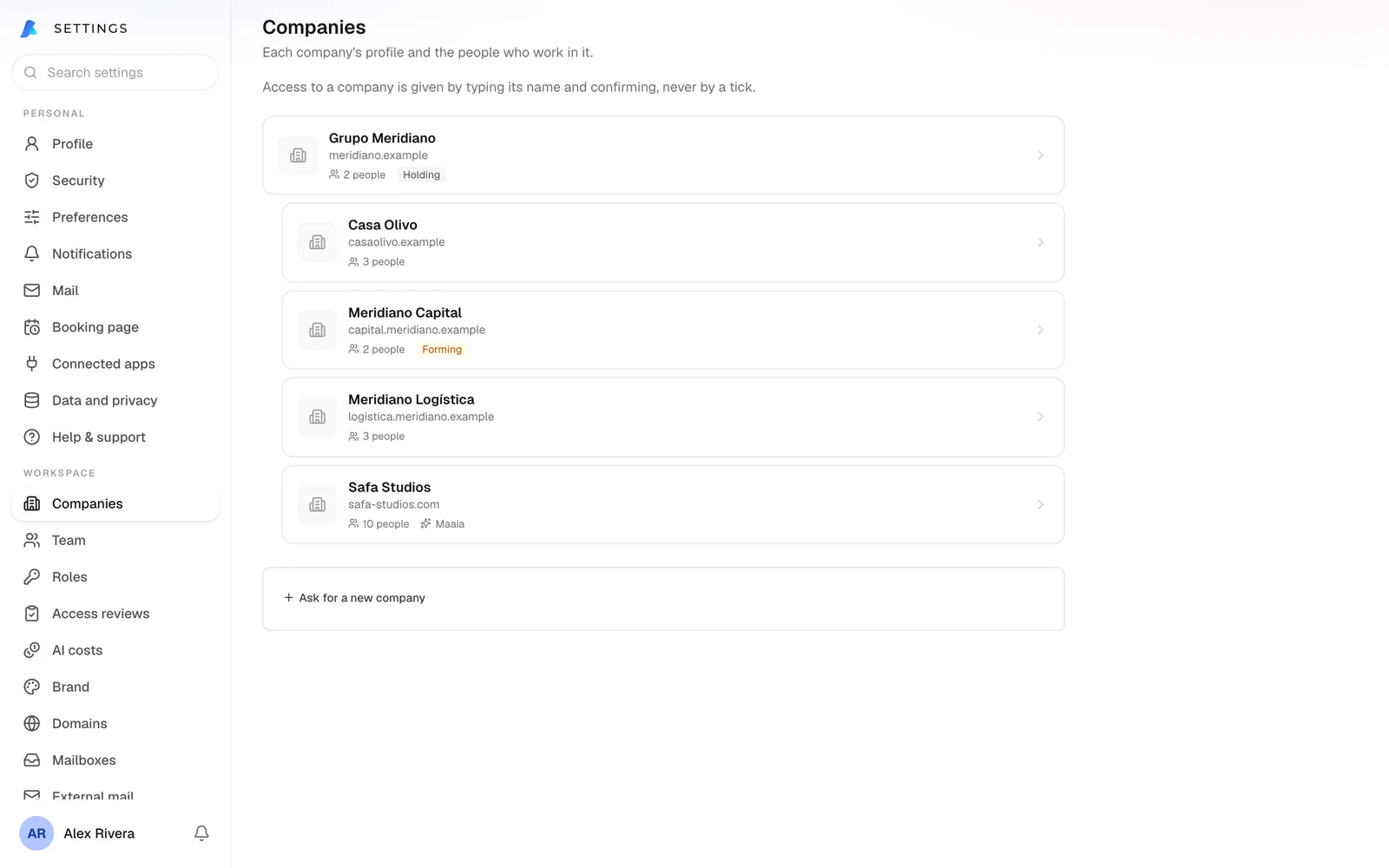
Your group, as it is
Holding, companies and branches; access flows down the tree only when you say so.
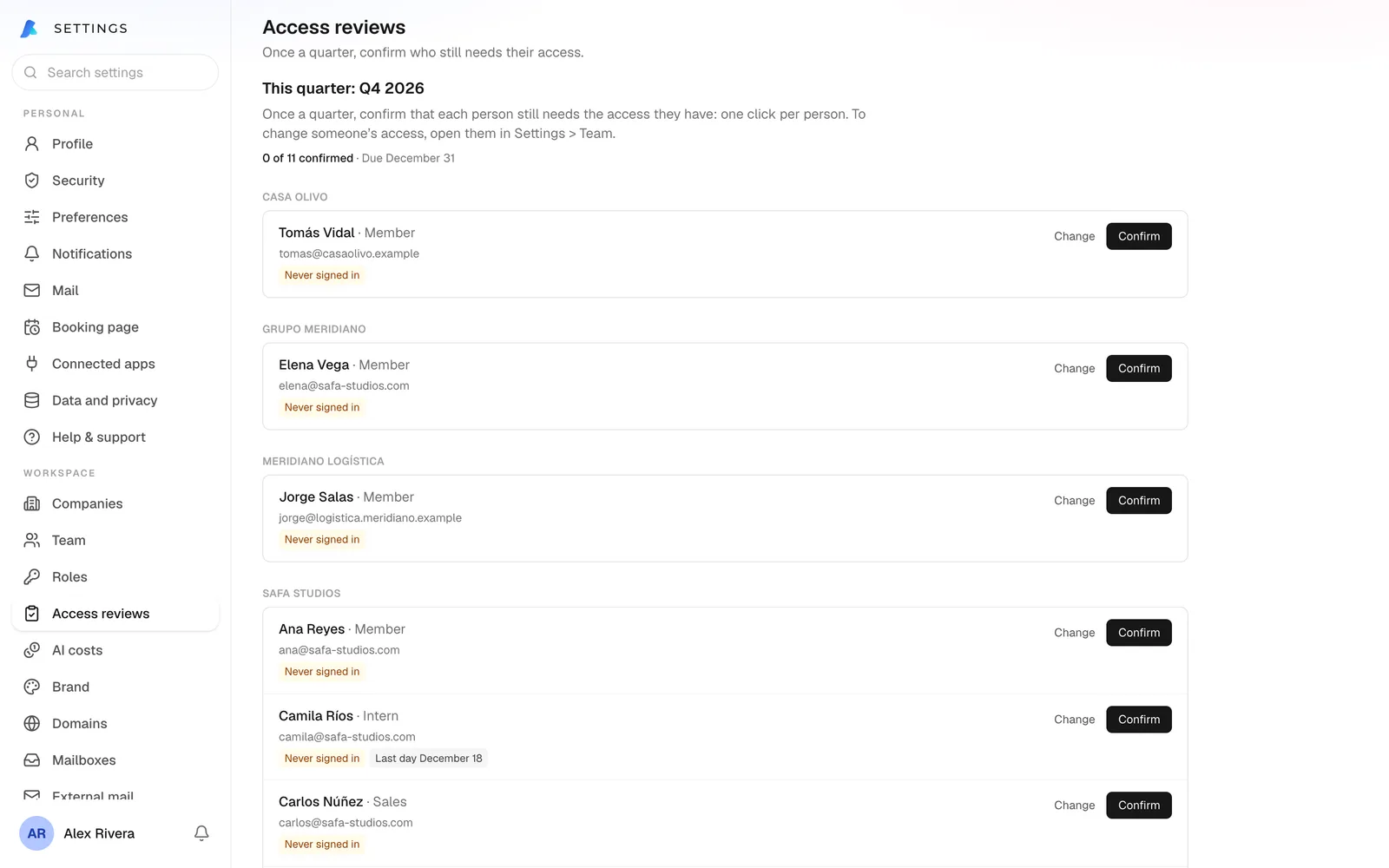
Access reviews
Each quarter, the right manager confirms who still needs what.
AI cost per company
What Maaia costs each company, with a budget and alerts at 80% and 100%.
Your keys, your servers
On Enterprise, your own infrastructure and your own AI keys.
Frequently asked questions
What is Maaia, exactly?
We build AI-native business software. Instead of selling a chatbot that plugs into your tools, we build the tools, with AI inside them that takes real actions. Today that is two products: Maaia Workspace for your team and Ana for your customers.
What is available today?
Maaia Workspace: in the cloud with 7 days free, or dedicated for groups of companies. And Ana, the AI comms manager who looks after your customers, on Basic or Pro. Business OS, Creative Studio and Life arrive in 2027.
Do I need Maaia Workspace to use Ana?
No. Ana works on her own, with her own dashboard for your team. With Workspace, every conversation also lands in your CRM and your team chat.
Is Ana a person?
No. Ana is an AI assistant and says so. When someone needs a person, she connects them with your team or books them a callback.
How do I start with Ana?
Pick Basic or Pro and add your card: Ana is live the same day, you pay nothing for 7 days, and our team helps you set her up. For a group or Enterprise, ask for a proposal on Ana’s page.
What does "AI-native" mean?
The AI is not on top of the product, it is inside it: Maaia sees your email, tasks, calendar and CRM under your real permissions, and acts on them. That is why it can turn an email into a task or a sentence into a meeting.
Can I use my own email domains?
Yes. Maaia Workspace sends and receives email on your own domains, with your name and signature on every message.
Is my data secure?
In the cloud, each workspace’s data is isolated inside the database itself, with row-level security enforced by Postgres rather than only by application code. Dedicated runs on its own app and database; Enterprise on your servers. Every action Maaia takes is logged and can be undone for 24 hours, unless it already reached someone else.
Which languages does it speak?
Spanish and English today, Maaia and Ana included, with more languages coming as we grow. Each person on the team picks their own without affecting anyone else.
How much does it cost?
The cloud starts at €19 a user a month, before tax, with 7 days free and the first charge on day 8. Dedicated and Enterprise prices are on the Workspace page. Ana is sold on her own: Basic €59 and Pro €99 a month, also with 7 days free.
Start with the one you need.
Try Maaia Workspace with your team or get Ana answering your customers: both with 7 days free and the first charge on day 8.
Rather talk it through? Book a 10-minute call