
Maaia Workspace for groups and enterprise.
One workspace for the whole group: each company with its own people, domains and limits. Dedicated runs on its own app and database, managed by us; Enterprise runs on your own servers.
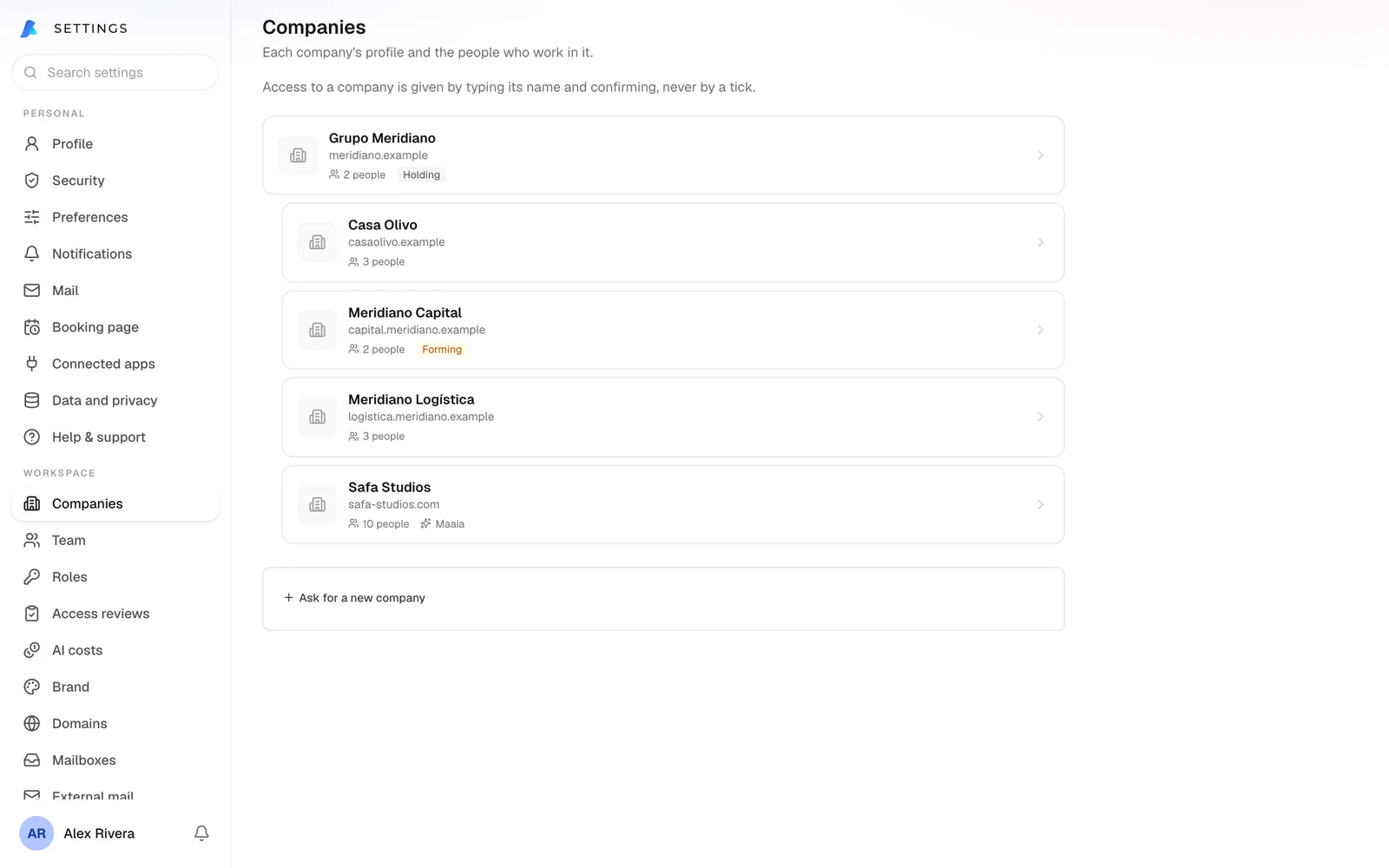
Dedicated: your group’s own Maaia.
Your own installation of Maaia Workspace, run by us, with its own app, database, files and domains.
Your group, as it is
Holding, companies and branches; access flows down the tree only when you say so.
Admins per company
Each company runs its own team. Changing who can reach what asks for your passkey or code again.
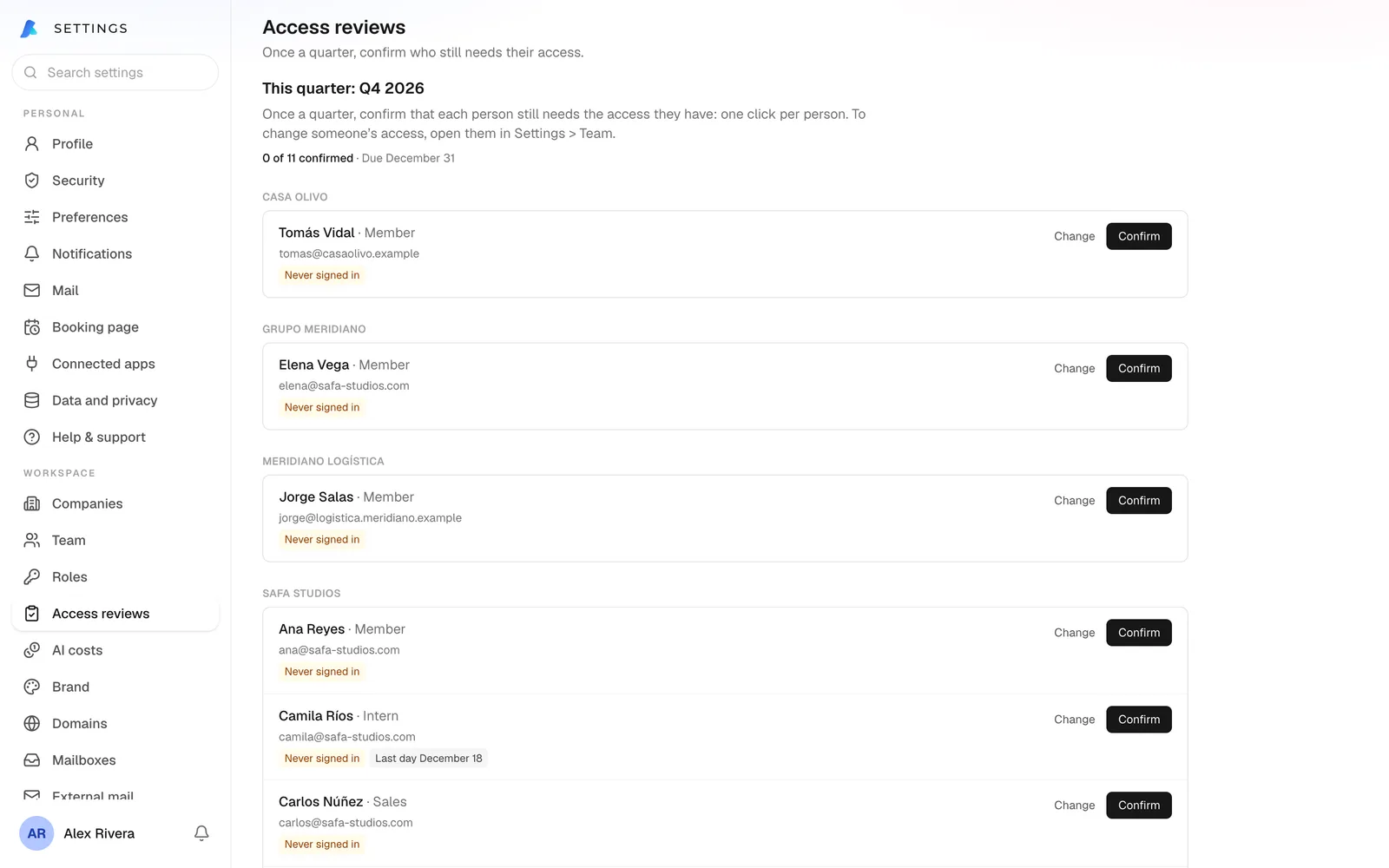
Access reviews
Each quarter, the right manager confirms who still needs what.
Expense approval
An expense goes to the person’s manager, then the approvers; never to whoever spent it.
AI cost per company
What Maaia costs each company, with a budget and alerts at 80% and 100%.
When someone leaves
Their open work goes to a successor, and their notes and files stay with the company.
from US$395per month
- 10 users included, US$25 per extra user
- Maaia on your own AI key, or AI packs per user
- 12-month term with premium support
- Setup US$2,500, waived on annual prepay
Enterprise: your servers, your keys.
Your infrastructure or ours, with guided implementation.
from US$25per user / month
- On your cloud or your own servers
- Bring your own AI keys (BYOK)
- Annual contract (US$15,000 a year minimum) or a lifetime licence you own
- Setup from US$5,000
How we start.
- 1
A 10-minute call
How your group is set up and what you need.
- 2
The demo, with your case
A sample group, seen from the owner’s seat and from a team member’s.
- 3
A written proposal
Edition, users, term and price.
- 4
Setup
We install your Maaia, add your companies and domains, and invite your team.
Let’s look at your group.
Book a ten-minute call, or ask for the demo with a sample group.